
Resources

Ecommerce email marketing starts with five boring flows
Before campaigns, a store's email needs five automated flows that fire on what a shopper did. The revenue share the email platform reports is still a claim, and two of the three owners we studied put theirs below the agency case studies.

AI sales prospecting still needs a person on the send button
The prospecting runs that paid off let AI build the list, read each account and draft the first message, then kept a person approving every send. When a run went wrong, it was usually the one line meant to sound personal, or nobody reading the silence.

AI vs automation works when the model makes one call
AI vs automation is a split inside one process. In the cases we studied, a model read the messy input and made one call, and fixed steps took it from there.
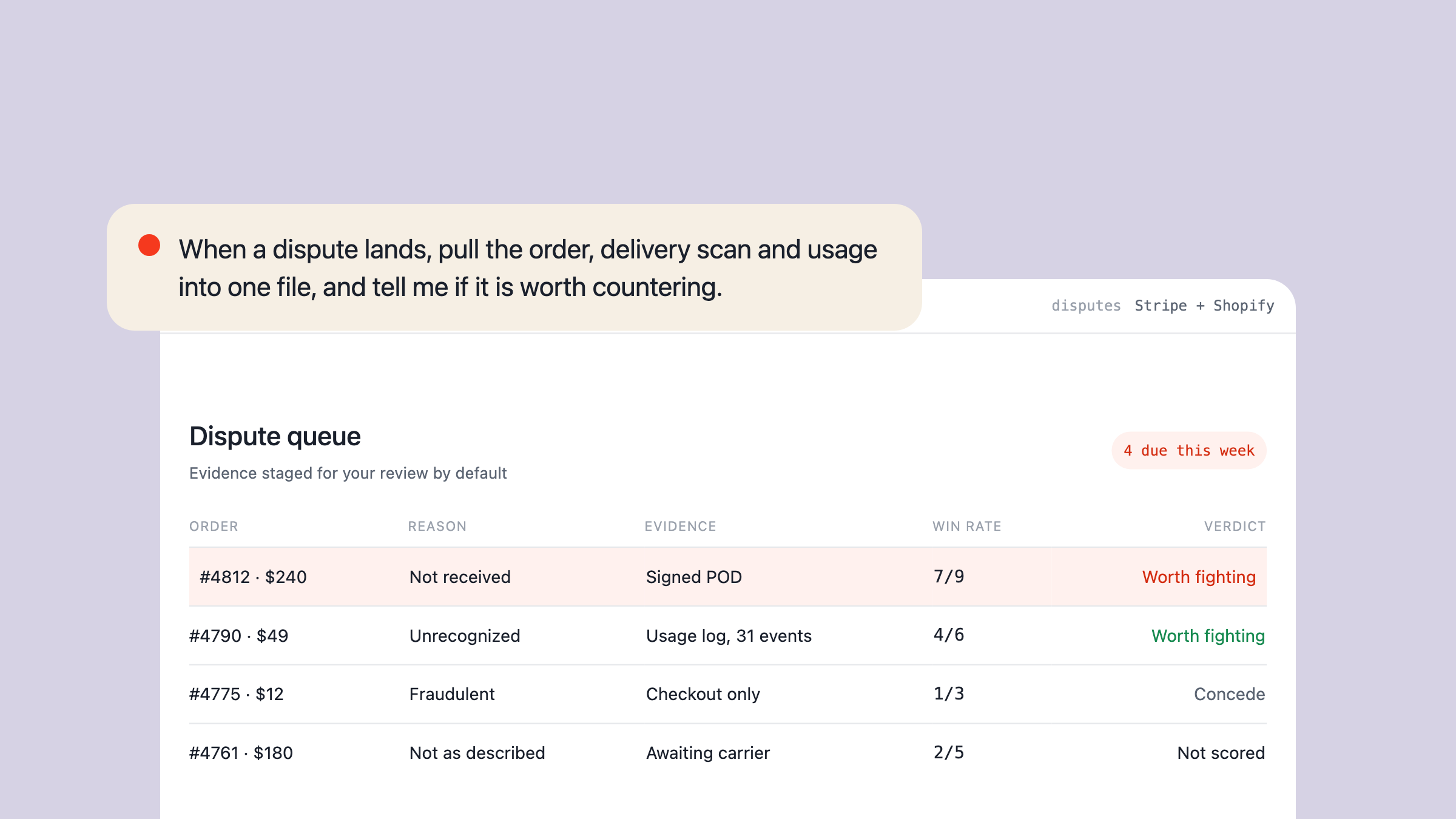
A chargeback management system runs on records kept early
A chargeback management system gathers evidence, decides which disputes to counter and tracks wins. The cases we studied point to records kept in advance.
How to add a bot to Microsoft Teams without the Azure portal
Registering a Teams bot takes minutes in the Teams Developer Portal and never touches the Azure portal. The upload is where it stalls, and the route that worked at once was an admin adding it to the org's app catalog.

How to create a sales funnel that shows where buyers stop
Create a sales funnel by building backward from the sale and recording every handoff. The result shows where buyers stop and what to change next.

How to find businesses without websites: qualify the need
Find businesses without websites through Maps, directories, and local profiles. Then qualify demand, owner access, and the customer job before outreach.

How to promote events on social media without mistaking reach for turnout
Promoting an event on social media is not a content calendar. It is a measurable handoff from the right audience to registration, confirmation, attendance, and the next campaign.
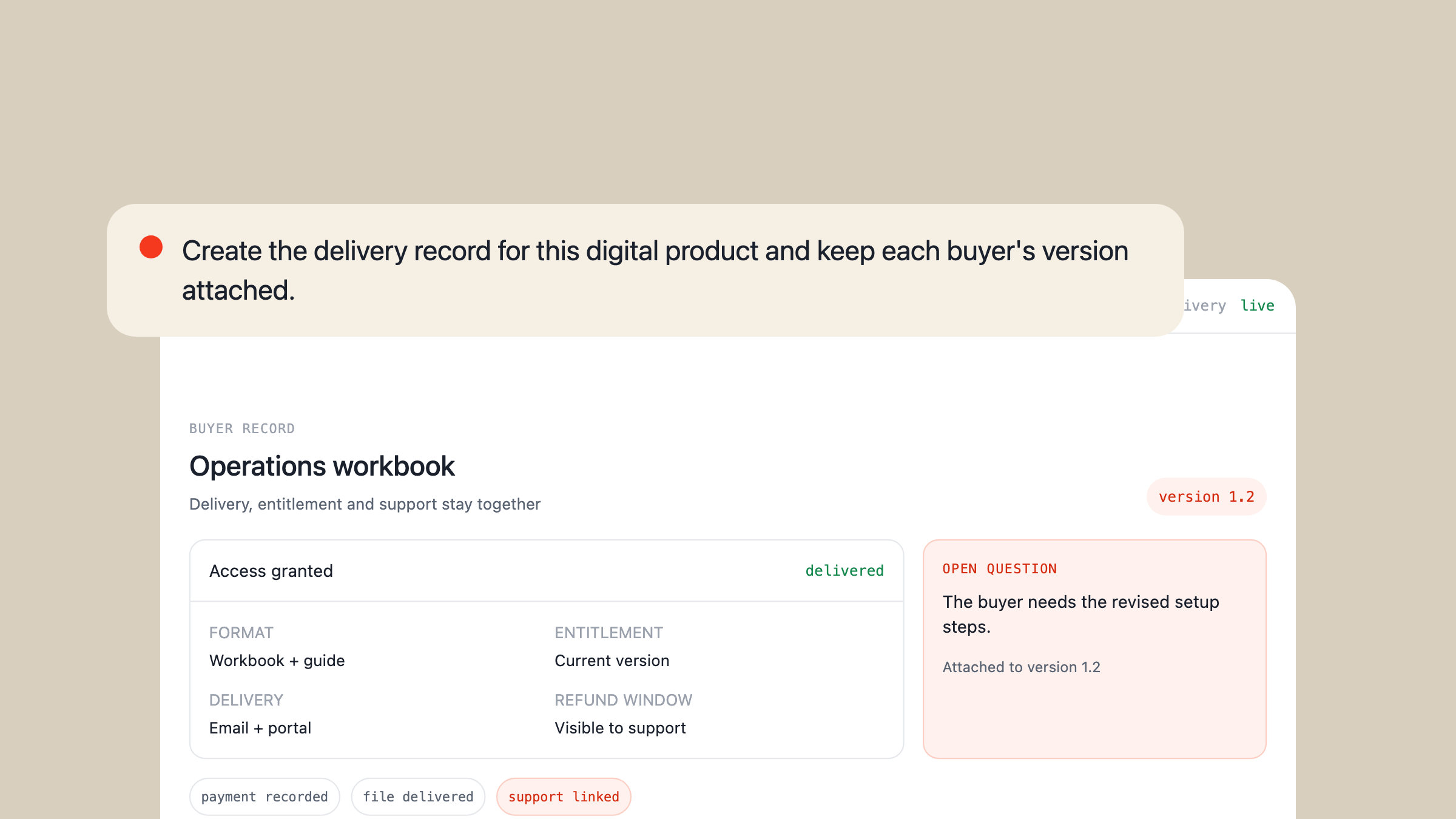
How to sell digital products starts with a paid problem
To sell digital products, begin with a repeated problem, ship the smallest useful shortcut, and use every sale as new product evidence. The file can be reusable, but distribution, delivery, pricing, refunds, and support still form an operating loop.

Lead enrichment is a decision gate
Lead enrichment adds the evidence required to decide what should happen to a lead next. The useful system buys deeper data only when a decision needs it, then keeps the source, age, and rejected matches visible.

Ecommerce automation is the exception queue
Ecommerce automation moves orders, inventory, messages and records without repeated manual handoffs. It becomes dependable only when duplicates, missing fields, stale stock and uncertain decisions have somewhere visible to stop.
A2P calling is the label for a machine-started call
A2P calling means software initiated a voice call to a person. The label explains the route, while identity, purpose, consent and stopping rules determine whether the call is useful or unwanted.
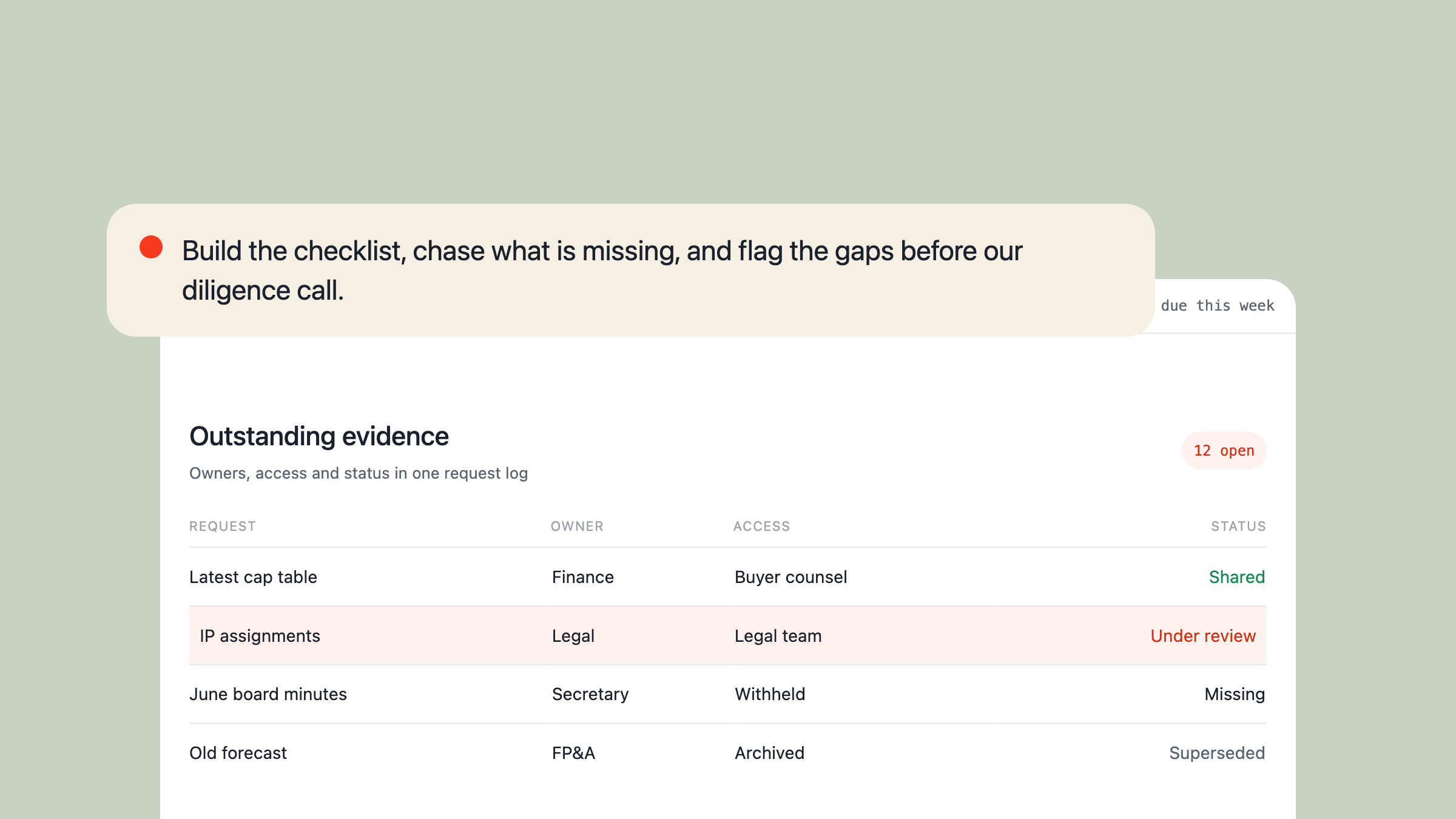
A data room proves the company behind the pitch
Investors and buyers use a data room to test a company’s claims against its records. Good rooms make missing evidence, changing versions and restricted access visible before they damage the deal.

Tool search is a middleware layer you may not need
A product category has grown up around giving agents a search tool and an execute tool so they can cope with a large catalog. Choosing the tools before the request leaves does the same job without putting a wrapper between the model and the work.

System One models know which work to hand back
A System One model returns a decision and a probability instead of text. The speed gets the headlines. The probability is what lets software act alone.
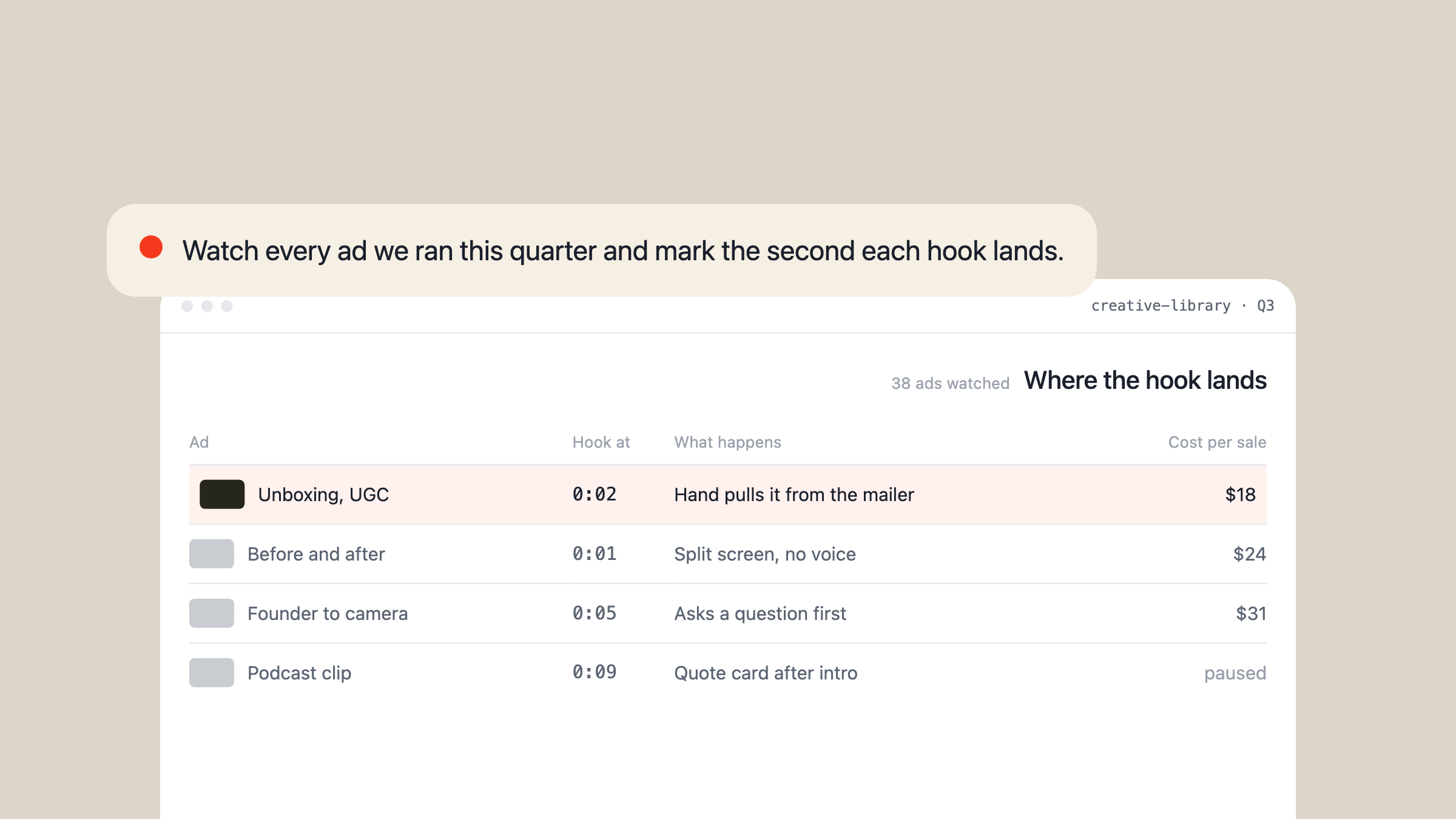
AI video analysis now watches the footage nobody had time for
Google's newest Gemini models move through a video like an analyst, pulling frames, audio or transcript only where the question needs them. That makes ad libraries, calls and raw footage cheap enough to study, as long as you keep the evidence.
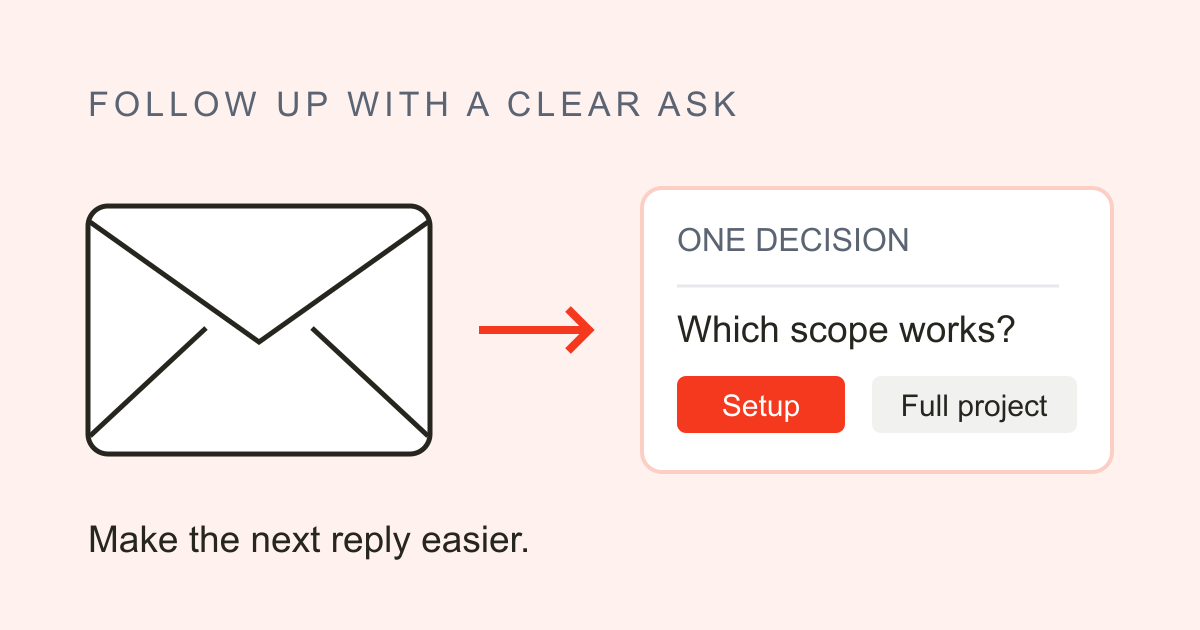
A follow-up email should make the decision easier
A follow-up email after no response should make the next decision easier. Use clear asks, realistic timing, and samples that leave room for an honest answer.
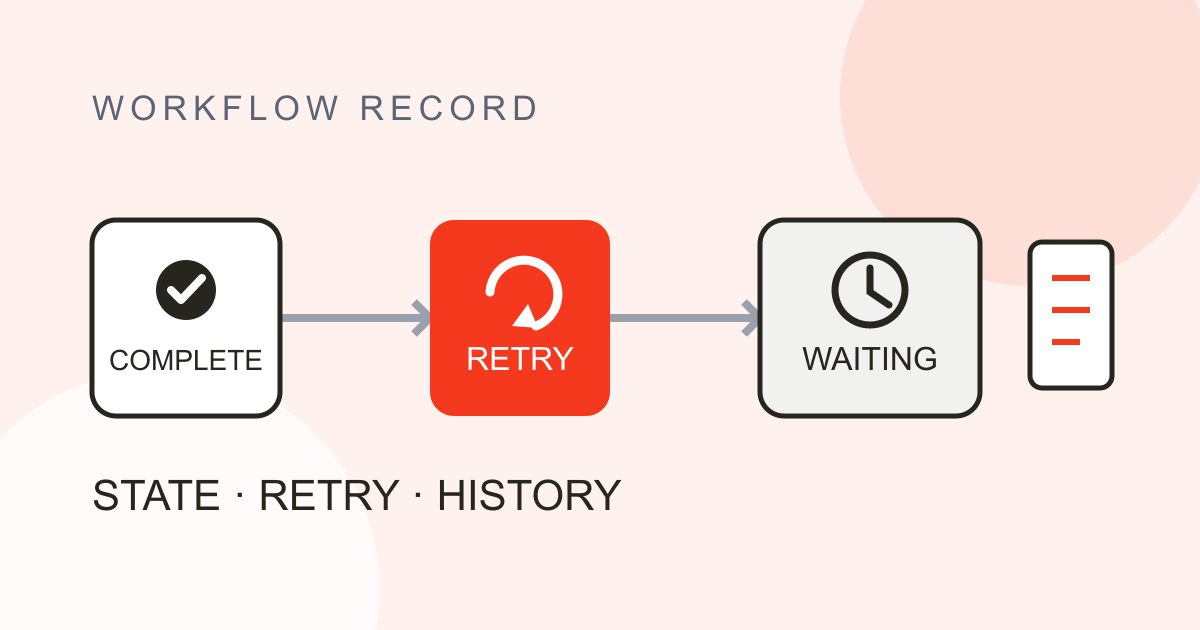
A workflow engine is memory for unfinished work
A workflow engine records state, schedules steps, and resumes after interruption. Its value is the history that tells the next worker what happened.
SOAP notes must work for the clinician who wasn't there
SOAP notes separate reports, findings, assessment and next steps. A practical example shows how to keep the reasoning clear for the clinician reading next.

A content calendar works when every date has an owner
A content calendar connects publishing dates to the work behind them. Give each piece an owner, an approval step, and room to change.

Inference is the meter. Training was the purchase.
Inference is what an AI model does after training is over, and it never stops. That is why an AI product costs more the better it works.

AI App Builders Sell the Demo and Keep the Database
AI app builders demo the same way, free tier or paid, and stall in the same place, because the part they generate is the cheap part. What decides whether the app survives is the substrate they keep: auth, the database, the secrets and the hosting.
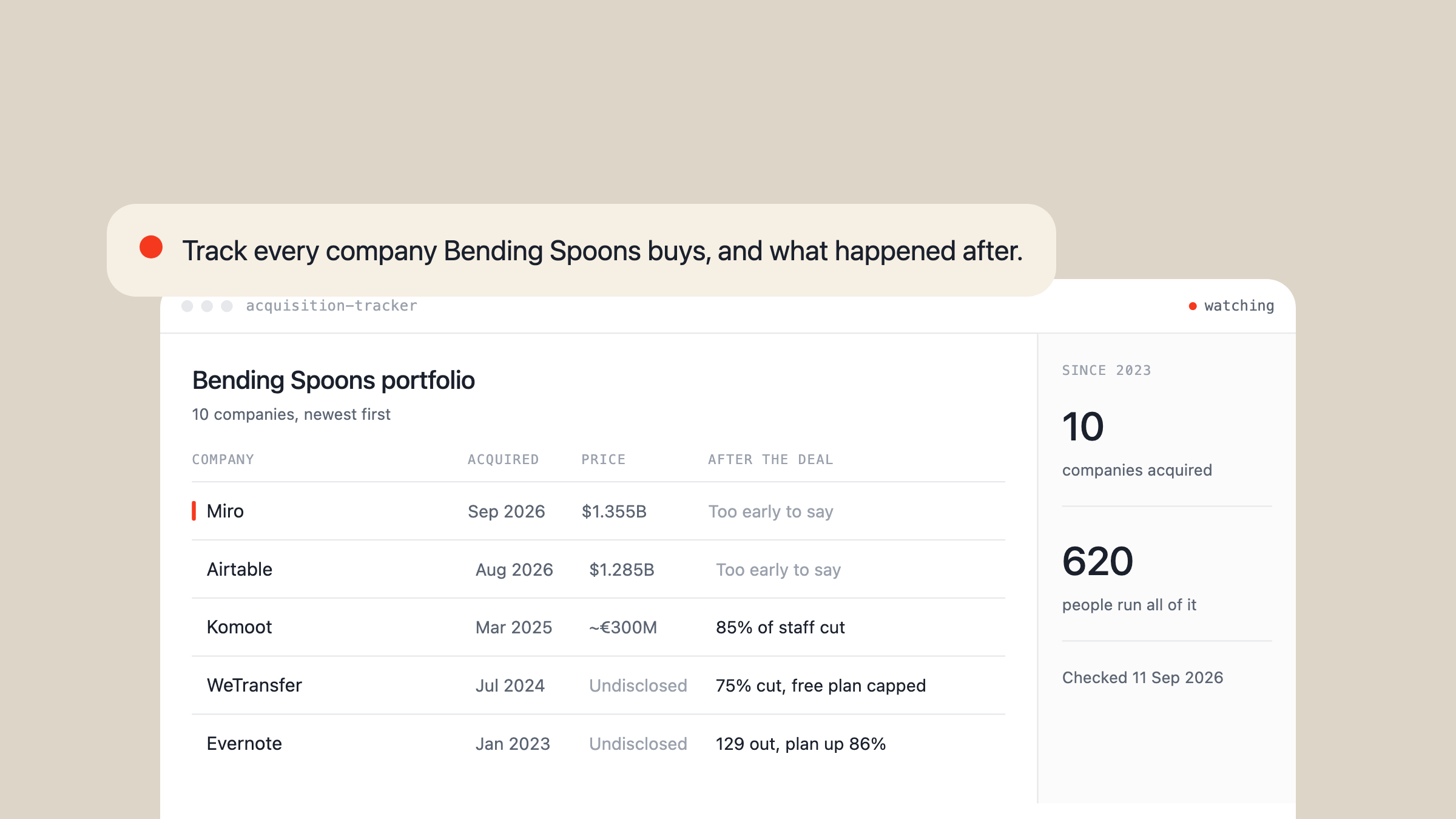
Every Bending Spoons acquisition follows the same playbook
Bending Spoons has bought Evernote, WeTransfer, Komoot, Vimeo, Harvest, AOL, Eventbrite, Airtable and Miro since 2023, and the same four steps show up after every deal closes. This tracks what happened to each one, updated as new acquisitions land.

Every Google Forms alternative meters the response
Most guides to Google Forms alternatives compare the form. The operators who actually switched talk about something else: the response limit on the tool they moved to, and the campaign that stopped in the middle.

Construction site inspections fail after the walk, not during it
The software built around site inspection sells detection: photograph the work, compare it to the drawing, catch the defect. The people who walk sites every week describe the walk working fine and everything downstream of it falling over.

Lead qualification is a choice you make before the lead exists
Lead qualification is taught as a stage: a lead arrives, a framework scores it, sales decides. The operators publishing their own numbers keep finding the damage was already done upstream, in who they decided to contact and when, and no rubric repairs that.

Search analytics is a list of what people wanted from you
The definitions of search analytics describe a dashboard: impressions, clicks, positions, top queries. The people who get something out of it read one column, the searches they had no page or product for, and treat the big number on top as decoration.
ERP development services sell a specification
What you buy when you buy ERP development services is a specification, delivered. What decides whether the thing works is everything the specification never covered, and some of the sharpest failures on record are projects that met the spec exactly.

Membership management software manages the wrong half
Membership management software ships a member record with a renewal date on it, which was never the hard part. The work sits in the gap between the record and the money, and closing it needs something that acts on a schedule rather than something that stores.

Connecting ChatGPT to Your App Gets You a Chat Box, Not an Assistant
Wire ChatGPT into an app through a built-in action and you get a chat box that forgets its instructions, can't run code, and leaned on an endpoint the vendor has already switched off. The assistant people actually want sits outside the app and holds the instructions, the tools, and the app itself.

Sales Automation Works Only on the Selling You Can Grade
The best documented results in sales automation share one property: the selling was written down and scored before any software arrived. The failures are the mirror image, calendars full of demos with vendors, an intern and your own CEO, because the grade was never defined.

The Flowchart Is the Cheap Half of AI Workflow Automation
AI workflow automation is sold as one product and contains two with opposite economics: the part you can draw as a flowchart, which has already collapsed to near zero in value, and the part you cannot draw, which the industry's own benchmark shows is still mostly unfinished. Buy them separately, because the half you cannot draw is where the hours and the failures actually live.

AI Text Messaging Works When You Text the Agent, Not When It Texts for You
In one August week the AI that reads your messages and replies for you drew a privacy backlash, while the AI you text like a colleague got people buying groceries, cancelling subscriptions and seeing a doctor. The direction of the message, not the model, decided which one people wanted.

Vibe Coding Ships When the Builder Is the First User
One week of vibe coded launches produced an offline survival kit, a kid's times tables game, a zombie run and a console port. Every one was built by the person who wanted it, and that, not the model, is what separated them from the builds the same week called slop.

An AI Receptionist Competes With the Missed Call, Not the Human
Real 2026 deployments show the same voice technology failing loudly in a Yorkshire GP surgery and quietly running phone lines for casinos and salons. The difference is not the model: it is whether the receptionist replaced a person or absorbed the calls nobody was answering.

You Import the Agent Loop. You Own What Goes Into It.
The agent loop is perceive, reason, act, observe, repeat. It is also about twenty lines, and every harness ships one. The quality of an agent is decided by what you assemble into each turn, not by the loop running it.

The Winning AI Ad Is the Ad You Already Had
PetLab Co has 1,546 ads live and the top performer is fully AI. It is also the same paw-licking, gut-health script they have run for years. The examples that work are not new ideas, they are proven ones that became cheap to re-render.

AI Roll-ups Are Buying Permission, Not Technology
AI roll-ups buy fragmented service businesses and automate them to triple margins. But the AI is the commodity part. What the equity cheque actually buys is permission to change the work, and that is something an owner already has.

AI in the Hospitality Industry: 9 Real Examples (2026)
Real examples of AI in the hospitality industry: voice agents, guest messaging, forecasting and robots — plus the pattern that separates the ones that pay.

Companies Need an Owner of the Problem
Sequoia says the next $1T company will sell the work. The variable everyone missed is ownership: a human accountable for the outcome. Here's why tools stall, why autopilots are owners on rent, and how to keep ownership in-house.

Claude Artifacts Explained: What They Are and How to Use Them
Claude Artifacts turn Claude's output into live, shareable pages. What they are, the exact sandbox limits measured in August 2026, and why a live artifact can never be your source of truth.

5 Essential Strategies for Building an AI Workforce in 2026
Discover how 75% of organizations are using an AI workforce of autonomous agents to scale operations. Learn the shift from co-pilots to autopilot employees.
12 Google Sheets Formula Frameworks for Automated Reporting in 2026
Master the industrial backbone of modern reporting. Learn how to leverage native AI functions and advanced logic to scale Google Sheets in 2026.

5 Essential EAN Barcode Lookup Strategies for Supply Chain Transparency in 2026
Master EAN barcode lookup in 2026. Learn how GS1 Digital Link and 2D symbologies are transforming product data retrieval and supply chain transparency.

5 Essential Frameworks for Obsidian Notes in 2026
Master Obsidian notes in 2026 with this guide to local-first knowledge management, bidirectional linking, and the ecosystem of 2,700+ community plugins.

11 Benefits of a Sales Management System for Sales Leaders in 2026
Unlock 11 key benefits of modern sales management systems, from AI-driven automation and sentiment analysis to modular tech integration in 2026.

The Future of Sales Management Systems: AI Agents and 2026 Trends
Discover how AI-driven sales management systems are evolving. Learn how autonomous agents handle CRM hygiene and prospecting to boost high-value relationships.
Sandbox Browser: The Isolated Chromium Layer Every AI Agent Stack Needs in 2026
Sandbox browsers isolate AI agent browsing in containerized Chromium — blocking credential theft and host escapes. Here's how they work and why they matter.

Wake Word Detection in 2026: How Keyword Spotting Works — and Why On-Device AI Is Changing Everything
Wake word detection powers every voice assistant. Learn how keyword spotting works, the shift to on-device AI, and how OpenClaw implements it globally.

How to Make a Chrome Extension in 2026 (Step-by-Step Guide)
Learn how to make a Chrome extension from scratch in 2026 -- build with HTML, CSS & JS, leverage AI to skip the hard parts, and ship to the Web Store.

How to Create a Telegram Link: Public Usernames and Private Invites
Learn how to create a Telegram link for your profile, channel, or group. Follow our simple guide to generate t.me links and private invite URLs in under two minutes.

OpenClaw Gateway Security: The Complete Hardening Checklist for 2026
CrowdStrike found 42,000+ OpenClaw gateways exposed to remote hijacking. Here is the exact security checklist to lock down your instance in 2026.

OpenClaw Docker: The Complete Self-Hosting Guide
Deploy OpenClaw with Docker Compose in minutes. Containerized, portable, and production-ready -- or skip the ops with Clawnify.com.

OpenClaw Mac Mini: The Ultimate Guide to Running Local AI Agents on Apple Silicon
Unlock the power of an OpenClaw Mac Mini setup. Learn why Apple Silicon's unified memory and iMessage integration make it the best local AI agent hardware.

Best OpenClaw Skills to Install This Week
Supercharge your OpenClaw agent with this week's top skills. From GitHub and Linear to Playwright and Obsidian, turn your AI into a high-performance teammate.
OpenClaw v2026.4.1: What's New
OpenClaw v2026.4.1 introduces revolutionary real-time neural processing and enhanced API stability to streamline your complex automation workflows effortlessly.
Introduction to OpenClaw Setup in 2026
Set up OpenClaw in 2026: prerequisites, the local, VPS and managed install paths compared, and the security settings worth getting right before you start.

OpenClaw Security: What Actually Matters (And What Nobody Tells You)
Everyone who runs OpenClaw for more than a week eventually asks the same question: how exposed am I, actually? The honest answer is: it depends entirely on what you configured. The defaults are not safe for everything. OpenClaw was built for one person running it locally. The moment you connect it to channels, emails, or the internet, the attack surface changes — and most guides don't tell you that. This post covers what the real risks are, what you can do about them, and what's still an open problem. No fluff.

Heartbeat vs Cron in OpenClaw: Ultimate 2026 Guide – When to Use Each for Proactive AI Agents
Many OpenClaw users struggle to grasp **Heartbeat** and **Cron** because both enable 'automation,' but they work very differently. Heartbeat is your agent's built-in periodic pulse (e.g., every 30 minutes): it loads a simple checklist from HEARTBEAT.md, quickly scans for urgents (inbox, calendar, reminders), and acts intelligently---all inside the main conversation session for full context awareness. It's great for lightweight, opportunistic periodic checks, but it temporarily blocks new messages while running. Cron, on the other hand, is a flexible scheduler for precise timing ('every day at 9 AM' or 'every 2 hours') and can run in isolated mode---no blocking your chat at all. This makes it perfect for **long-running or resource-heavy tasks** (generating weekly reports, deep data analysis, processing files, polling APIs over time) and true background/periodic automations that don't need constant chat history. In this guide, we break it down clearly with examples, decision trees, community-proven patterns (silent heartbeats, cheap-model crons, checkpointing long tasks), and VPS/Clawnify defaults---so you can confidently automate recurring work and heavy lifts while keeping your AI agent fast, responsive, and cost-effective.

What is OpenClaw?
OpenClaw is an open-source, self-hosted AI agent framework that turns a language model into a proactive assistant — what it is, how it works, how to run it.