
How to add a plugin to ChatGPT, and what its review checks
Getting your own plugin into ChatGPT takes a ZIP, a domain token and a review, and the portal part took us 41 minutes. The review is the hard part: OpenAI's scanner reads your tool annotations, and its reviewers need a login with no phone in the loop and demo data that's really there.
Connect Clawnify
Twelve steps across ChatGPT, your server and OpenAI's portal
To add a plugin someone else built, open ChatGPT's Plugins page, pick it and connect your account. To add your own, you package your MCP server and any skills as a ZIP, upload it to OpenAI's plugin portal, clear its automated checks and submit it for review. Once approved, you publish it to the plugin directory that ChatGPT and Codex share. Apps built with the Apps SDK are plugins now. Since late September 2026 the portal has taken a ZIP instead of a web form.
This guide is our own run, on 1 October 2026: the Clawnify plugin, an MCP server with about fifty tools plus a set of skills. The same folder ships as our Claude plugin too. Claude reads its own manifest from it. If what you want is ChatGPT working inside your own product rather than your product inside ChatGPT, that is a different job, and connecting ChatGPT to your app covers it.
You need these before you start:
- An OpenAI organization with individual or business verification, under the name you want listed.
- A project with global data residency. A project pinned to EU residency cannot submit a plugin that has an MCP server.
- Owner rights, or the Apps Management Write permission an owner can grant.
- A public HTTPS MCP server, with OAuth if it touches anyone's account.
- Four public pages: website, support, privacy policy, terms.
- A demo account that signs in with a password and nothing else, five positive and three negative test cases, and a video walkthrough.
| # | What you do | Where | Watch for |
|---|---|---|---|
| 1 | Add your MCP server as a test app | ChatGPT, Plugins, Add | No package needed yet |
| 2 | Sign in as the account reviewers will use | Your OAuth consent page | The scan sees this account's tools |
| 3 | Run your test cases in chat | ChatGPT | Run the negative ones without @mentioning it |
| 4 | Write plugin.json and mcp.json, add skills | Your repo | Credentials never go in the ZIP |
| 5 | Upload the ZIP | OpenAI platform, Plugins | Pick the verified identity |
| 6 | Fix metadata and skill findings, upload again | Metadata & Skills | Skill findings carry no detail |
| 7 | Serve the domain token | Your server | Exact token, plain text |
| 8 | Connect, sign in, let it scan | MCPs, Connect | Same account as step 2 |
| 9 | Fix tool findings, rescan | MCPs, Issues | Annotations are what it reads |
| 10 | Enter reviewer credentials and sign-in steps | Review information | No phone in the loop |
| 11 | Accept six attestations, submit | Submit for review | One review at a time |
| 12 | Publish once approved | The plugin page | A separate click |
The portal part took us 41 minutes, from the first upload at 22:00 to In review at 22:41, with three uploads and two deploys of our server in between. Most of the real work happened before that, on the server. That's what the scanner reads.
Test it in ChatGPT before you package anything
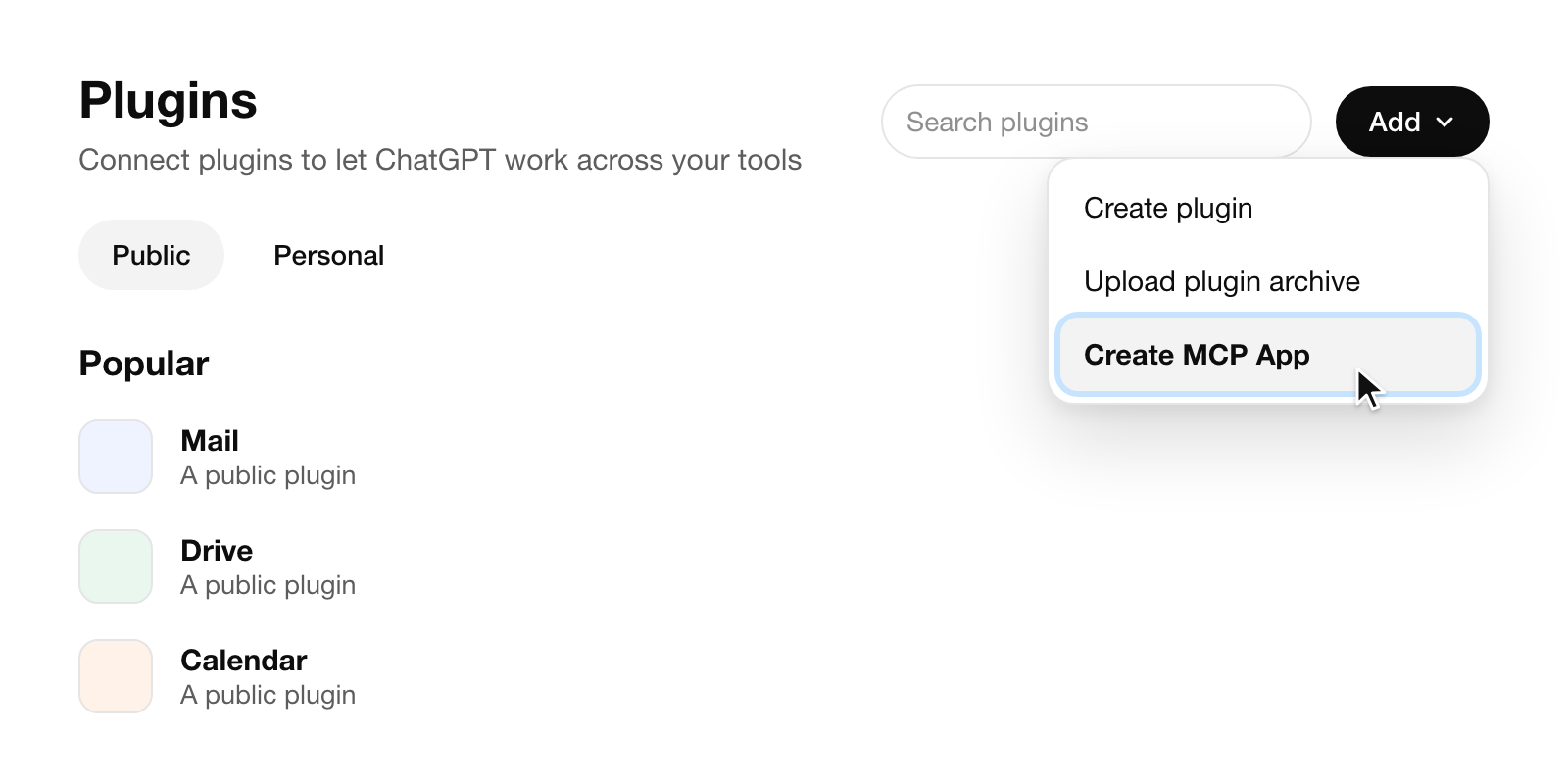
1. Add your server as a test app. On ChatGPT's Plugins page, open Add and choose Create MCP App. OpenAI's docs say to turn on Developer mode under Settings, Security and login first. Our account had no such switch on 2 October. Create MCP App worked anyway, so check this menu before you go hunting.
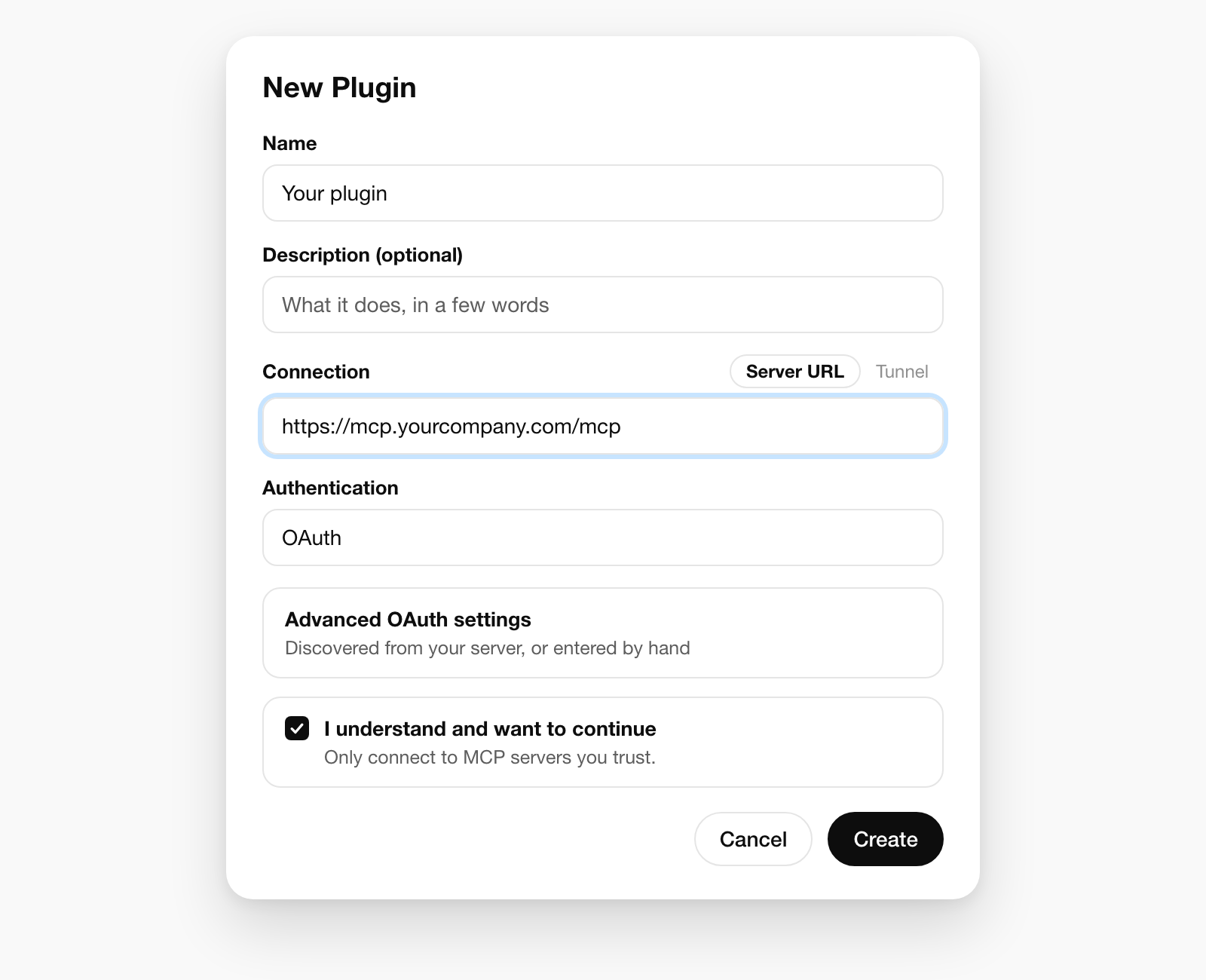
Name it, paste the server URL with its /mcp path, leave Authentication on OAuth, tick the risk box, create.
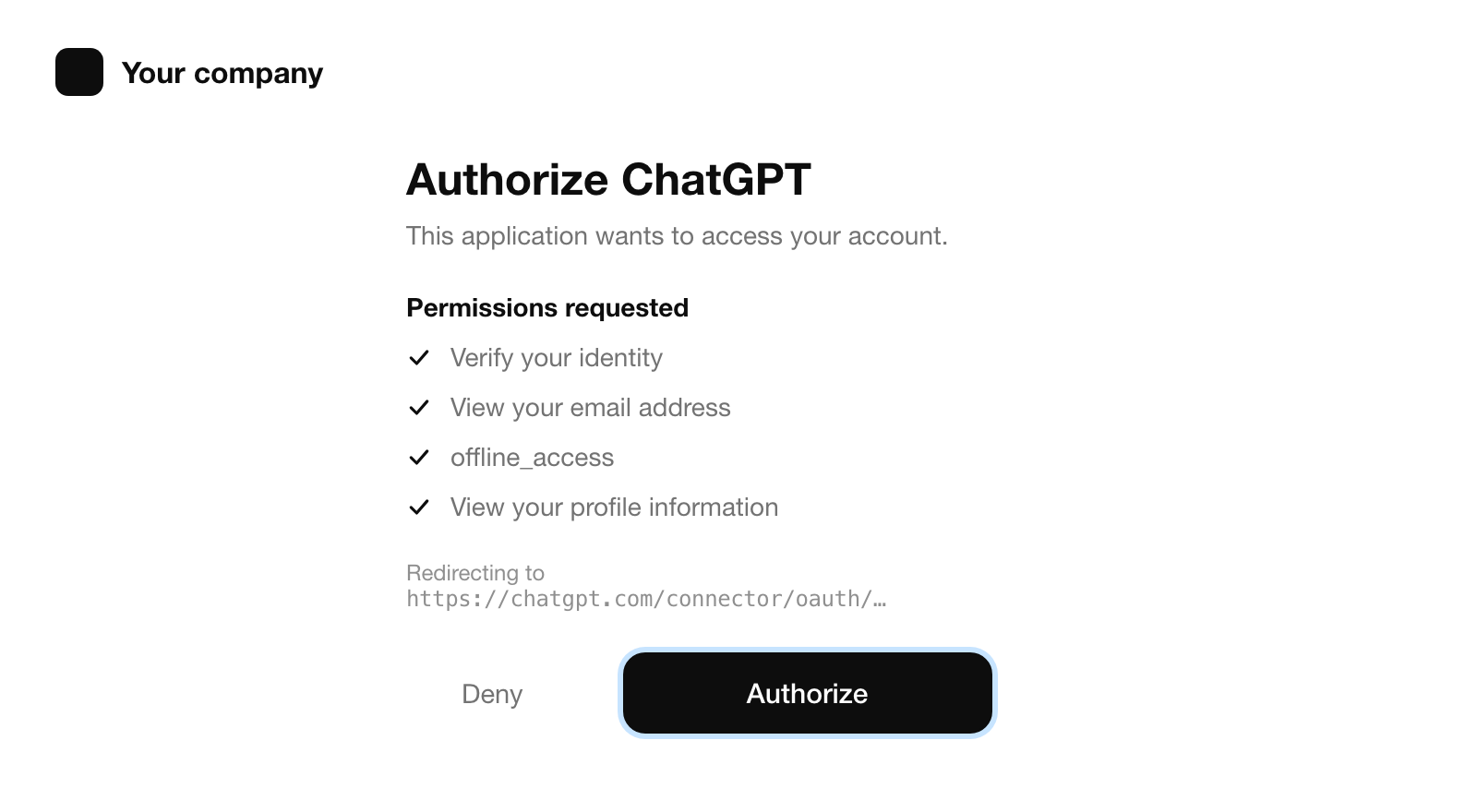
2. Sign in as the account reviewers will use. ChatGPT sends you to your own consent page, and the plugin acts as whoever is signed in there. So sign in with the demo account first, in the same browser.
Then ask ChatGPT to list the plugin's tools by name without calling any. Don't skip this one, because the tool list the review scan records from one account is the tool list every ChatGPT user gets. If your server shows some tools only to some accounts (tools generated per customer, say, or a feature one organization switched on), they either leak into everyone's list or confuse the reviewer. We hide those from OpenAI's clients on the server. ChatGPT got 50 tools.
3. Run your test cases. Two things surprised us. Mentioning the plugin by name pushes ChatGPT to use it, even when it shouldn't. We asked about the weather with the plugin mentioned, and it called one of our tools before searching the web. Without the mention it never touched them. Run the negative cases the way a reviewer would: no mention.
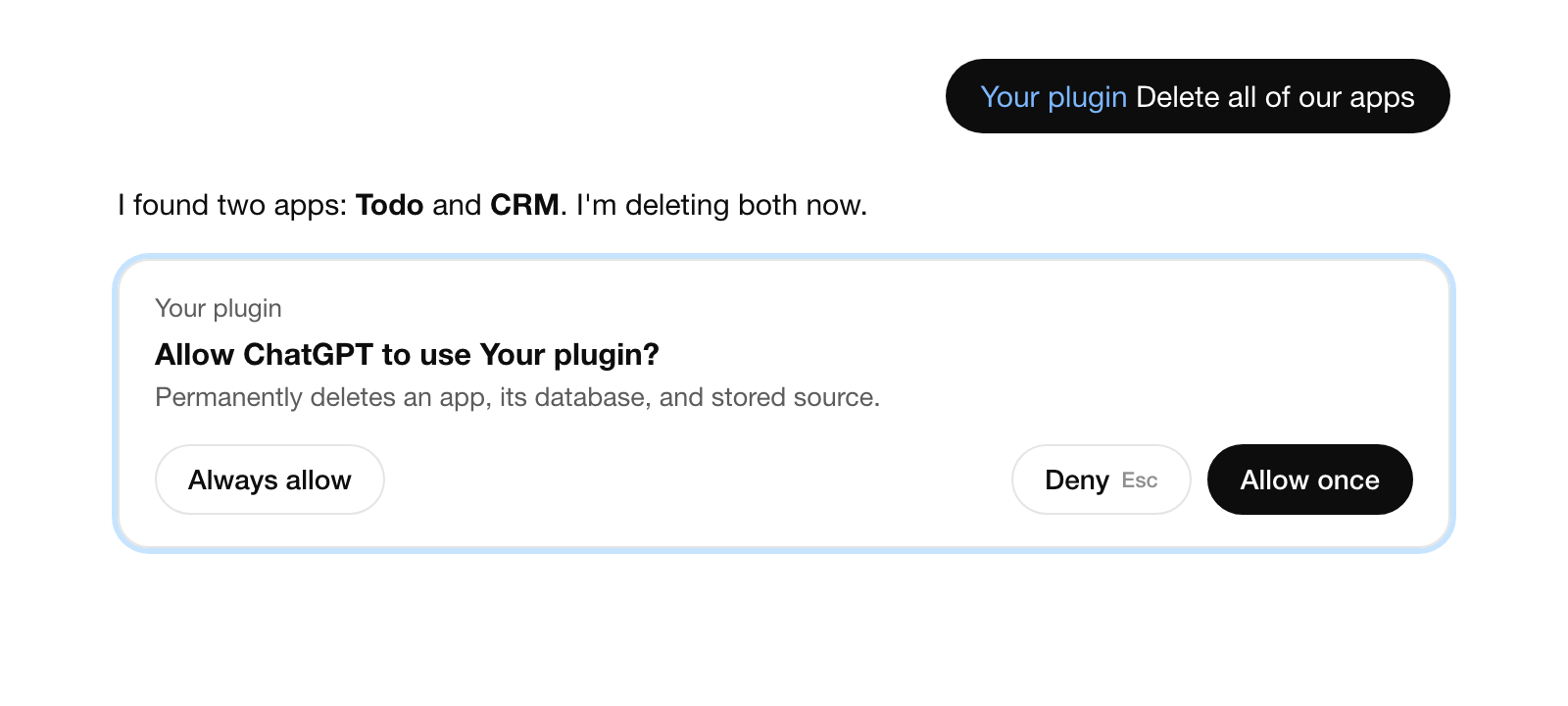
The second: asked to delete every app, ChatGPT went straight for our delete tool. It stopped only because the tool is marked destructive, and ChatGPT asks before it runs one of those. We declined. Nothing was deleted.
Package the ZIP the portal reads
4. Write the manifest. The portal reads a portable plugin folder: a plugin.json at the root with OpenAI's settings under extensions.com.openai, an mcp.json naming your server, your skills under skills/, and the image files the manifest points to. Listing text, review cases and the video link go in the manifest, and the portal imports them read-only. Reviewer credentials don't go in at all. The importer rejects them.
| Field | What it is | Watch for |
|---|---|---|
name, version | Package identity | Lowercase, hyphens |
interface.displayName | The listing name | 30 characters |
interface.shortDescription | Subtitle under the name | 30 characters |
interface.longDescription | What it does and for whom | Must match what the ZIP carries |
websiteURL, supportURL, privacyPolicyURL, termsOfServiceURL | Four public pages | All four required with an MCP server |
logo, composerIcon | Square image files in the ZIP | 48 px minimum |
review.test_cases | Five positive, three negative | Imported read-only |
review.demo_recording_url | Your walkthrough video | Reviewer must be able to open it |
publication.release_notes | What this version changes | Optional |
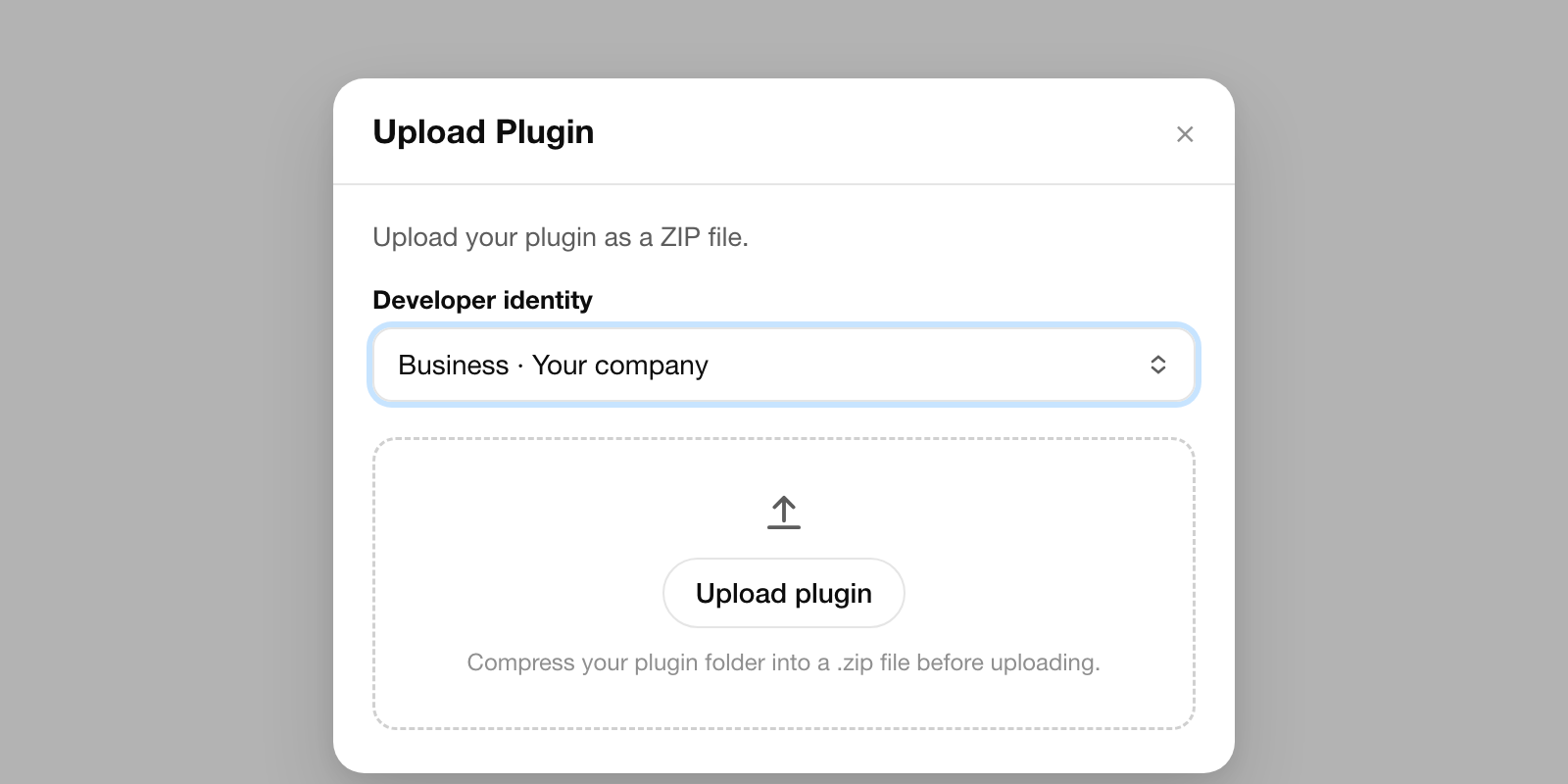
5. Upload it. In the OpenAI platform, open Plugins, choose Upload new or existing plugin, pick the verified developer identity the directory will show, and choose the ZIP.
6. Read Metadata & Skills. Our metadata passed first time. Two of our six skills didn't. The finding said each "contains behavior that could create a security risk" and stopped there, without pointing at a line.
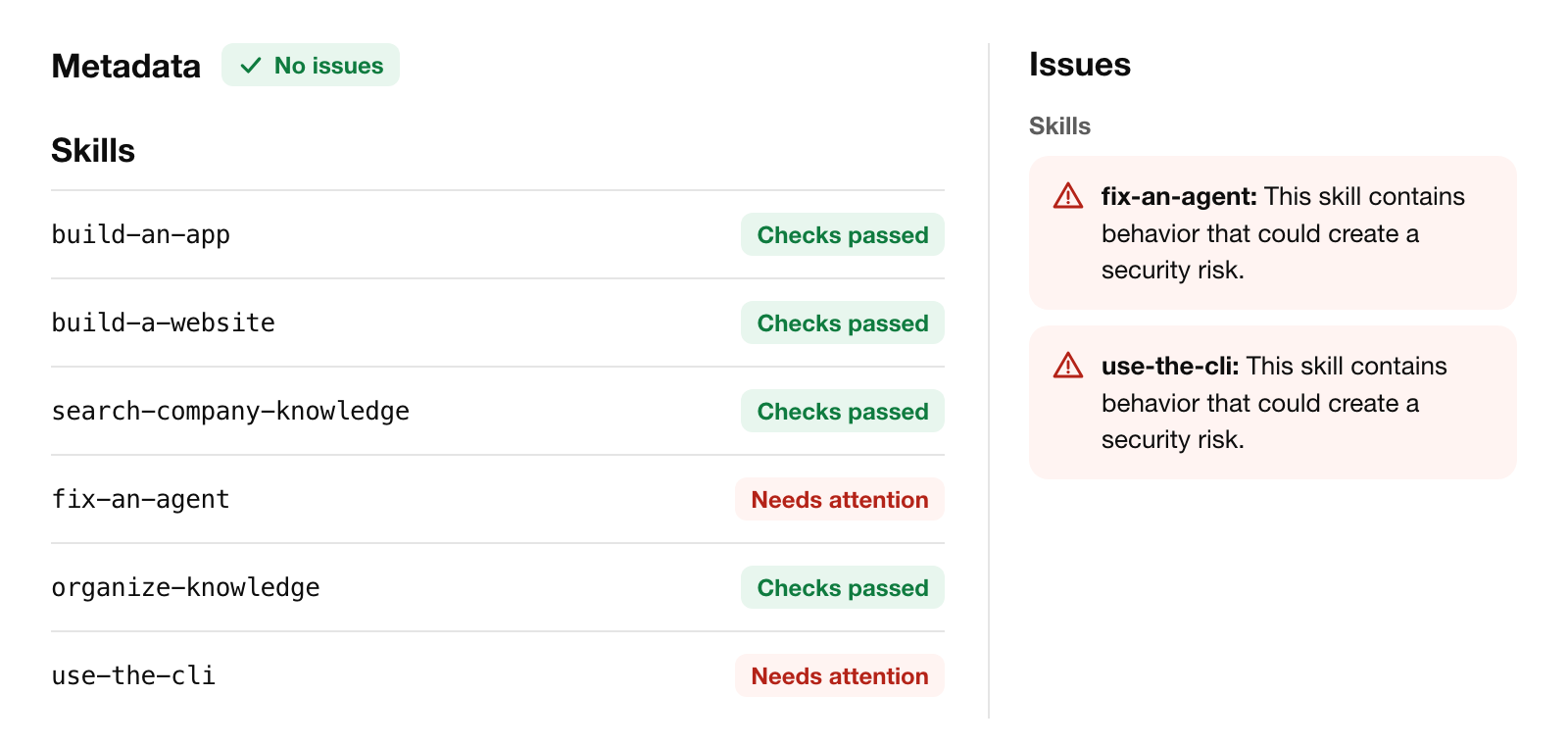
Both were skills for coding agents: one for our command-line tool, one for fixing a misbehaving agent. We guessed at what a classifier might object to and rewrote them. No reading a token out of a credentials file. No raw write requests without asking the person. No editing another agent's configuration, and no changes to a live agent without approval. Still flagged. So the ZIP we submitted carries four skills while the Claude plugin keeps all six, and we cut the listing text down to four as well, since the description has to match what's in the package.
Verify the domain, then read what the scanner says about your tools
7. Serve the domain token. Open MCPs, then Connect. The portal shows a URL on your server's host and a token. Serve exactly that token there as plain text, with no JSON around it and no trailing newline. It's public by design, so we put it in the server's deployed configuration instead of a secret store, then checked with curl that the response was the token and nothing else.
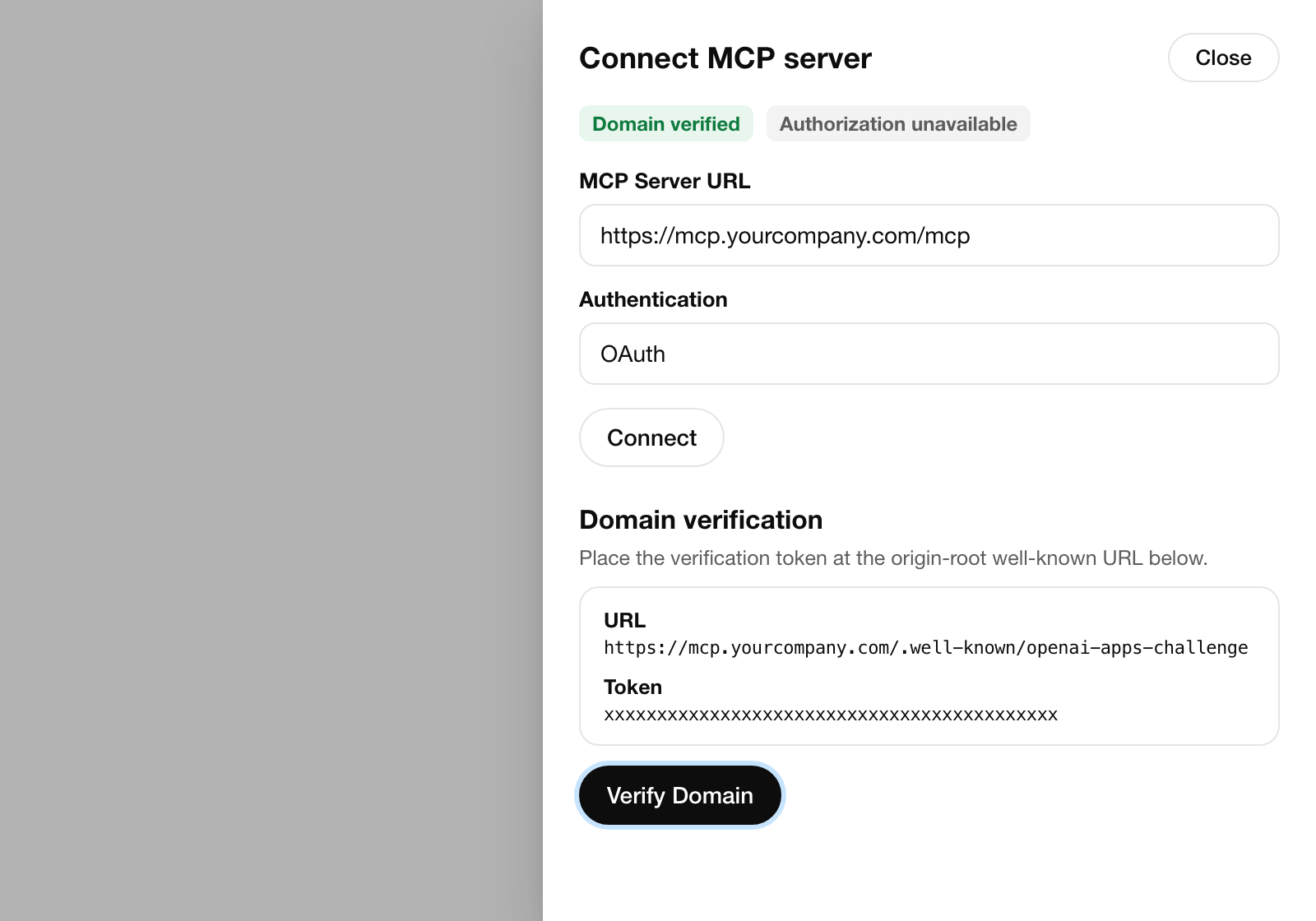
8. Connect and let it scan. Sign in through your OAuth page as the demo account you tested with. The scan pulls in every tool's name, schema and annotations, plus your server's instructions.
9. Read the tool findings. Every tool has to state three hints, and the scan checks each against what the tool seems to do. OpenAI's definitions, condensed:
| Hint | Set true when | Set false when |
|---|---|---|
readOnlyHint | Only fetches or lists | It saves, sends, starts or queues anything |
destructiveHint | It can delete, overwrite or send something you cannot take back | Additive writes only |
openWorldHint | It reaches the public internet, outside recipients or public pages | Confined to the user's own account or workspace |
Our first scan flagged 13 write tools, all with the same finding.
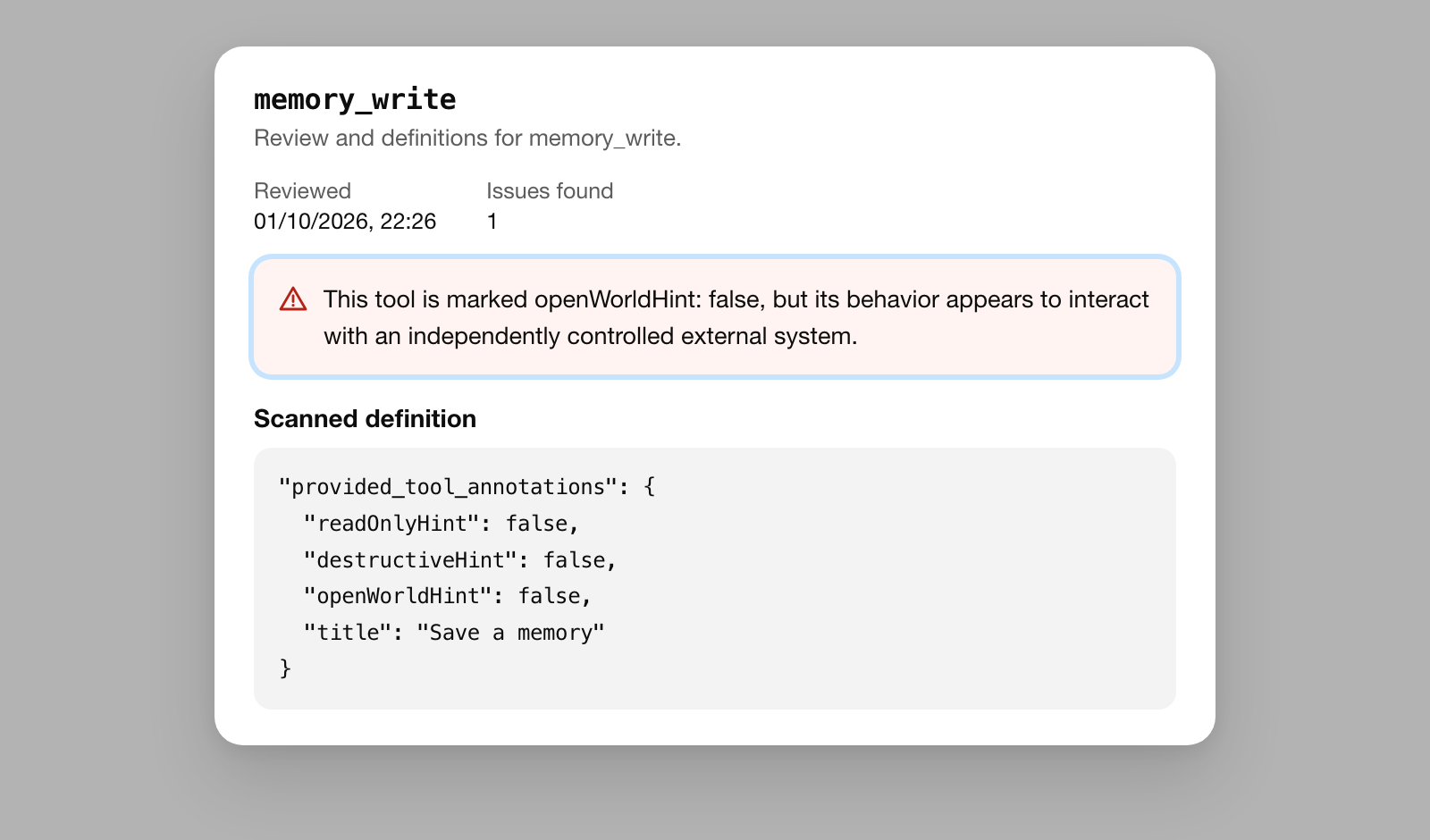
OpenAI's own guideline lets a tool confined to a private account or workspace say false, even when it's hosted elsewhere. Most of ours only write inside the user's own organization, so we didn't flip them all. Five really do reach outside it. Those we marked true.
| Scan | Result | Why |
|---|---|---|
| First scan | 13 write tools flagged as open world | We had marked all 13 false |
| Our change | 5 marked true | Task assignment starts an agent that can email; app endpoints can email; publishing changes public pages |
| Rescan | 4 still flagged | Memory and knowledge writes, task completion |
| Also on rescan | 4 cleared that we never touched | Same code, same annotations |
Plan around that last row. The classifier isn't deterministic, so a finding can clear on a rescan with nothing changed. There's no appeal button on a draft either; findings that don't block submission go to the review team along with it. Fix the hints you can defend changing, and write down why the rest are right.
One more rule, and this one is about how the server is built. OpenAI's guidelines forbid a generic executor: a pair of tools that searches a catalogue, then runs any operation by name, so whatever actually runs was never reviewed tool by tool. We had exactly that for third-party integrations. ChatGPT connections no longer see it; Claude still does.
Review details, six attestations, then the wait
10. Enter the reviewer's access. Review information asks for a login URL, a tenant, a username, a password and sign-in steps. Our consent page offers Google sign-in to anyone who arrives signed out, so our steps send the reviewer to a password sign-in page first, and only then to ChatGPT. In the cases we found, submissions failed at the login, before anyone looked at the tools.
| What the reviewer met | What happened |
|---|---|
| A team whose reviewer login used Google with a second factor on their own phone | Rejected for a "broken sign-in flow" that was not broken |
| A builder whose demo account held only expired social accounts | The assistant checked 25 times for an account that never came; rejected |
| A document-comparison tool that worked fine in a coding agent | Needed OAuth, upload handoffs, bounded output, a seeded account, a video, and responses that matched its schema exactly |
Give the reviewer a dedicated account with a password, no second factor and real data in it. Then leave it alone until the review is over.
11. Submit. The dialog asks for six attestations. Read the fifth closely: it says the plugin is suitable for people under 18. Ours has no mature content, but our own terms require users to be 18. We read the statement as being about the content, and ticked it.
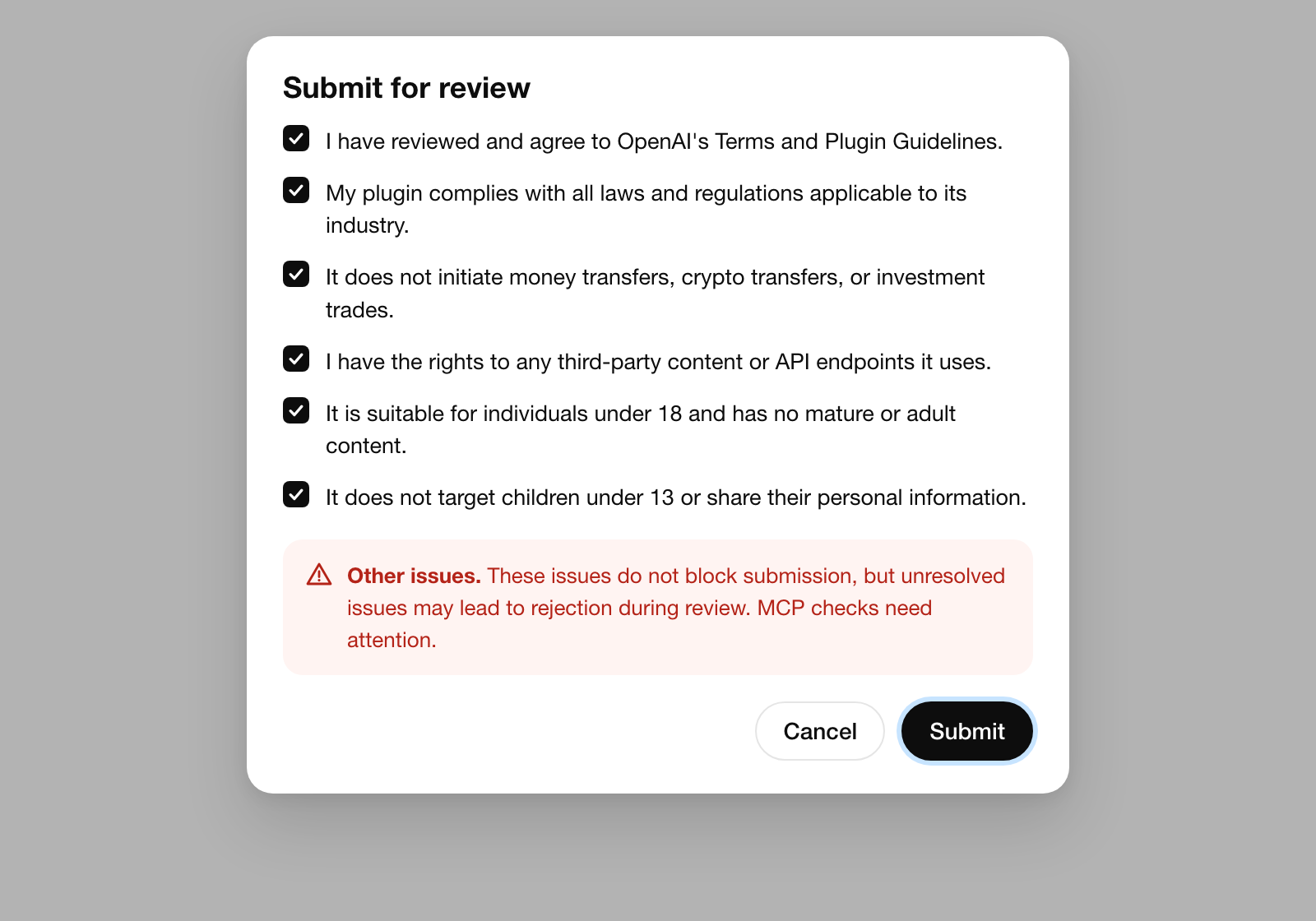
12. Wait, then publish. Only one review can be active per plugin, and the decision arrives by email. How long it takes varies a lot, judging by the builders we found, and Claude's connector directory moved faster for the same people.
| Case | What they reported |
|---|---|
| A review-tracking app | Live in ChatGPT 3 days after submitting |
| A post scheduler, same MCP server it already used with Claude | Approved after 13 days |
| A speaking-practice app | Submitted early in the month, still in review late that month; its Claude connector was live the next day |
| A builder with two plugins | Treats a review cycle as about three weeks |
| A founder whose first version was approved | Changes after that reviewed in about 10 days |
The same founder gives the reason to get the first version right: the first approval brought hundreds of new users and later revisions brought none, and the bugs that shipped with that first version left those users churning. Ours went in on 1 October. It's in review as we write.