Cost every dish
Build dishes from ingredients and sub-recipes, with cost per portion, margin and food cost against your target.
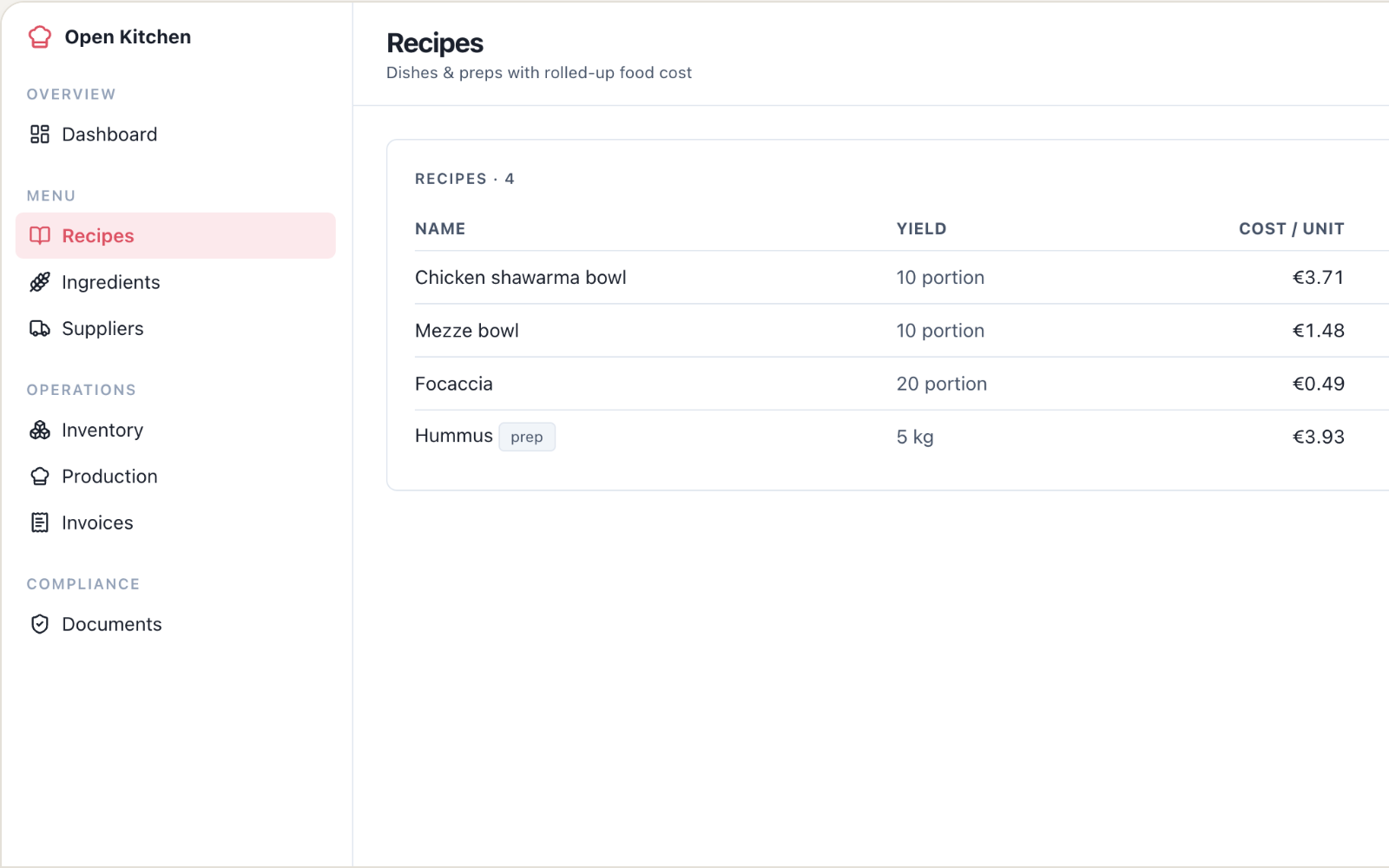
Build dishes from ingredients and sub-recipes, with cost per portion, margin and food cost against your target.
Supplier invoices update what each ingredient costs, and keep every supplier’s price history.
Count stock, see the variance against expected usage, and get reorder suggestions for anything below par.
A dish can keep the same menu price while its ingredients get more expensive. If the recipe lives in one spreadsheet and supplier prices in another, checking the margin becomes another piece of work before service.
This v1 connects ingredients and sub-recipes to cost per portion, margin and your food-cost target. It gives a chef or restaurant operator a place to review the numbers behind a dish.
Build the dish from its ingredients, including any sub-recipes, and check the cost per portion against your target. Use supplier invoices to update ingredient costs while keeping each supplier’s price history. When a price changes, review what that means for the dishes that use it.
The decision stays with you: adjust the recipe, review a supplier or reconsider the selling price. The app shows the costing information; it does not promise the same margin regardless of purchasing decisions.
Count what is on hand, compare it with expected usage and review reorder suggestions for ingredients below par. Start with a small set of dishes and their ingredients so you can check the costing before adding the rest of your menu.
Choose this app and follow the setup in Clawnify.
Add your records and connect any accounts your workflow needs.
Ask your agent to help adapt the app to the way you work.
Yes. Build dishes from ingredients and sub-recipes, then review cost per portion, margin and food cost against your target.
Supplier invoices update ingredient costs, and each supplier’s price history is retained. Use that information to review the cost of the dishes you sell.
It shows the costs and margin information for your review. Your team chooses the selling price and any changes to the recipe or supplier.
We use cookies to enhance your user experience.
For a complete overview of all cookies used, please see our Cookie Policy.
Customize cookies
Choose which cookies you allow. Essential cookies cannot be disabled.