One room for the deal
Keep the deck, financials and legal PDFs in folders behind one branded link.
Keep the deck, financials and legal PDFs in folders behind one branded link.
Ask for an email or passcode, set an expiry, and switch a link off while keeping its visit history.
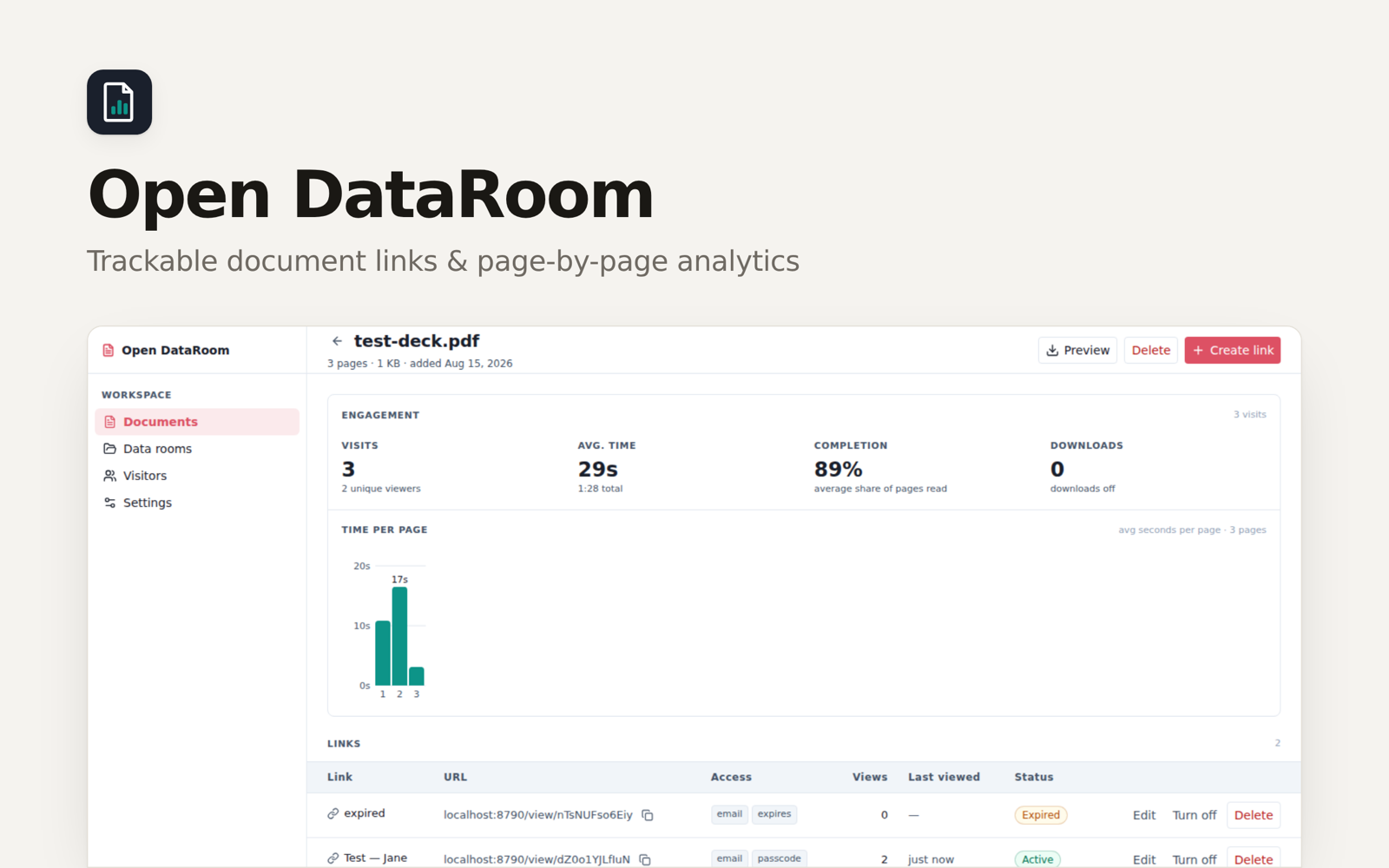
See time spent on each page, completion and downloads for the links you share.
An investor asks for your deck, then the financials, then the legal documents. Put the PDFs into folders in one data room and share its link. The cover carries your logo, company name and colour.
You can share a single document, too. A proposal going to a client doesn't need a whole room.
Upload your PDFs and give each recipient a named link. Each link has its own access settings and visit history, so you can keep an investor's read separate from a link you've shared more widely.
Email capture is on by default. Add a passcode, an expiry or an agreement checkbox when the material calls for it. You can also allow or block the email addresses and domains readers enter. When you turn a link off, its analytics stay in the app.
After someone opens the document, check the reading time by page, completion and downloads. If readers spend time on the financials but stop before the appendix, you've got a specific place to start your next conversation. Those numbers describe activity in the viewer; they don't tell you what someone thought of the deck.
Have your documents ready as PDFs. Export slides and word-processing documents first, then upload them, arrange the folders and set your company branding. Decide which links need a passcode, when they should expire and whether to offer downloads.
For the broader job of collecting missing documents and preparing a diligence checklist, use the linked diligence guide. This app gives you the room, the sharing links and the record of each visit.
Choose this app and follow the setup in Clawnify.
Add your records and connect any accounts your workflow needs.
Ask your agent to help adapt the app to the way you work.
Yes. Upload the PDF and create a link for that document. Use a room when you want readers to browse several documents organised into folders.
PDFs, up to 50 MB each. Export presentations and word-processing documents to PDF before uploading them.
It records the email address the reader enters. It doesn't check that they own that inbox. Allow and block lists use the entered address, too.
You can hide the download button and add a watermark showing the reader's email. The PDF still reaches their browser, so these are deterrents rather than copy protection.
You can turn visit notifications on for a link. The app sends a task to your Clawnify agent, which can tell you about the visit. This currently needs a workspace with a single connected agent.
We use cookies to enhance your user experience.
For a complete overview of all cookies used, please see our Cookie Policy.
Customize cookies
Choose which cookies you allow. Essential cookies cannot be disabled.